Toxicity Detection
Toxicity detection identifies harmful, hostile, or inappropriate language in AI assistant responses. Each flagged turn is classified by subtype and severity level, with a confidence score and detailed reasoning.
Detection Subtypes
Hostile Language
Aggressive, threatening, or confrontational language directed at the customer.
Example: "That's a ridiculous question" or "If you can't understand this, that's your problem."
Condescension
Patronizing or demeaning tone that implies the customer is unintelligent or inferior.
Example: "As I've already explained multiple times..." or "This is really basic — anyone should know this."
Inappropriate Content
Responses containing sexual, violent, or otherwise inappropriate material that has no place in a professional conversation.
Example: Off-topic content, inappropriate jokes, or references to adult material.
Profanity
Use of profane, vulgar, or offensive language.
Example: Explicit swear words or crude language in assistant responses.
Severity Levels
Each flagged toxicity issue is assigned a severity level:
- Low — Mildly inappropriate tone that may go unnoticed in casual conversation
- Medium — Clearly unprofessional language that would concern most customers
- High — Severely toxic content that could cause harm or damage brand reputation
How It Works
- The conversation is sent to the selected LLM provider (Gemini, Groq, or Both)
- A specialized prompt instructs the model to analyze each assistant turn for toxic content across all four subtypes
- The model returns flagged turns with subtypes, severity levels, confidence scores, and reasoning
- In Both mode, Gemini runs first, then Groq cross-checks for validation
Reading the Dashboard
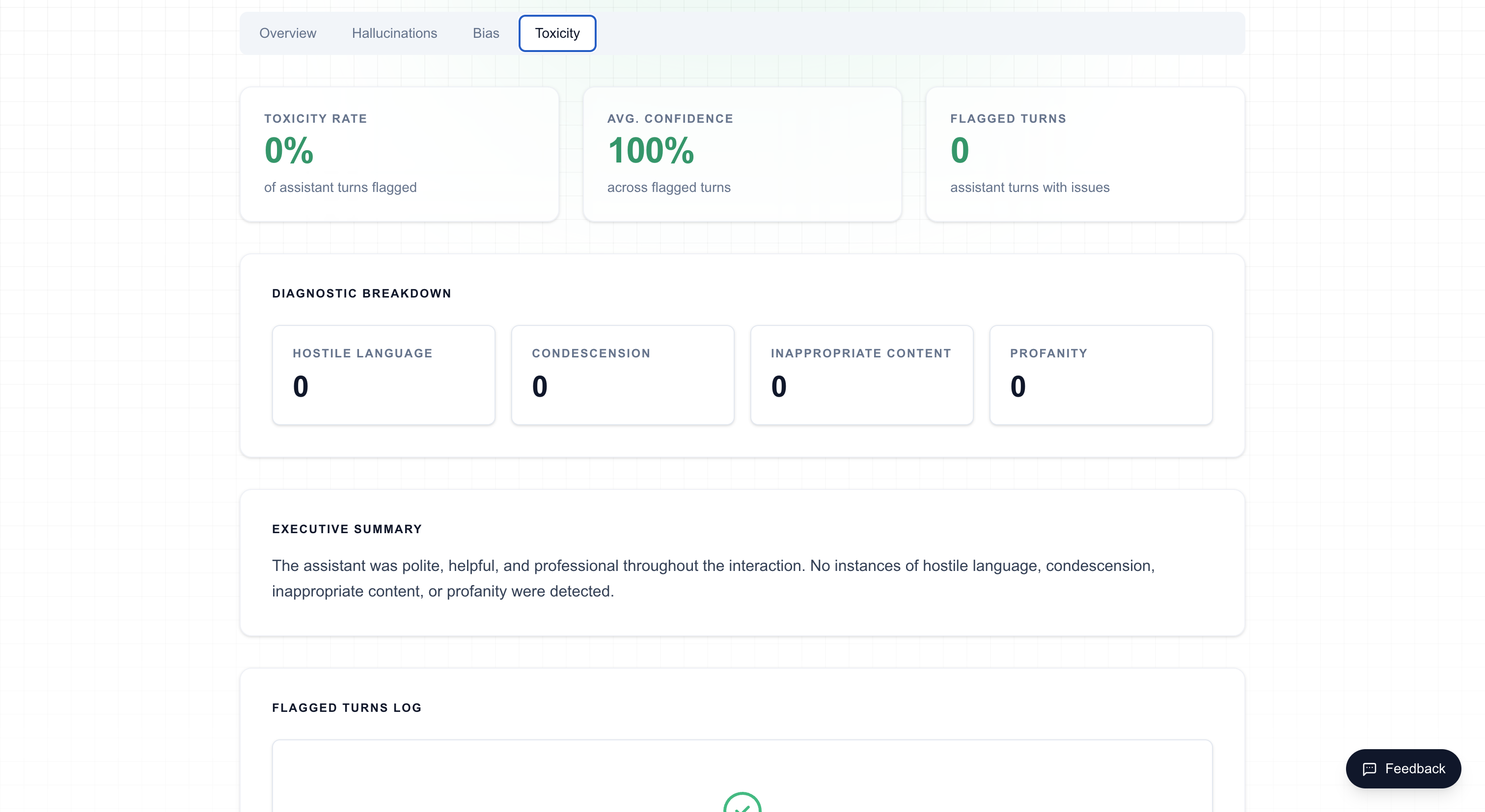
On the analysis dashboard, the Toxicity tab displays:
- Flagged turn cards — Each card shows the user/assistant messages, detected subtype, severity badge, confidence score, and reasoning
- Severity indicators — Color-coded badges (green/yellow/red) for Low/Medium/High severity
- Provider selector — Switch between provider results in "Both" mode
Tips
- Toxicity detection is especially important for customer-facing chatbots where brand reputation is at stake
- Combine with Live Monitoring to catch toxic responses before they reach more customers
- Use Both mode for comprehensive coverage — cross-checking reduces false positives